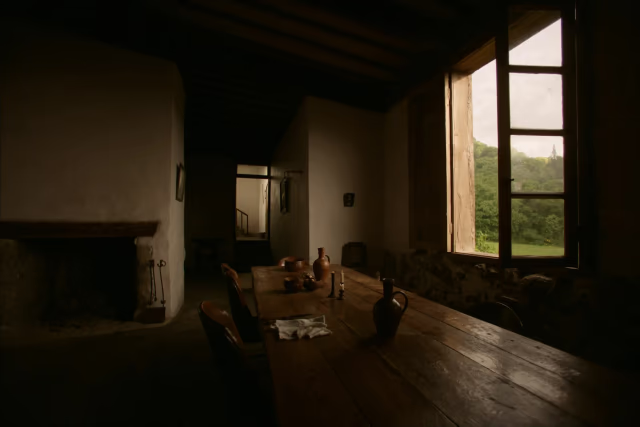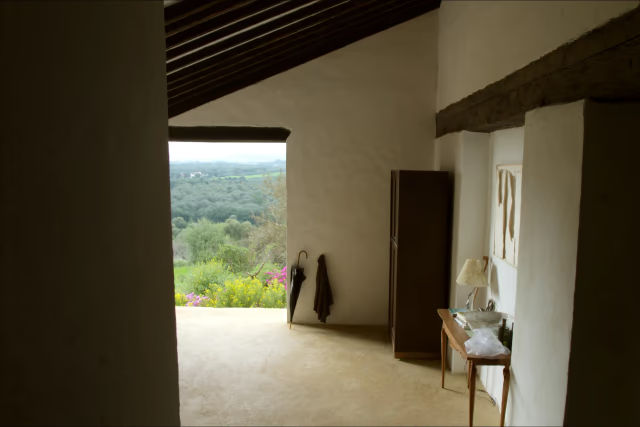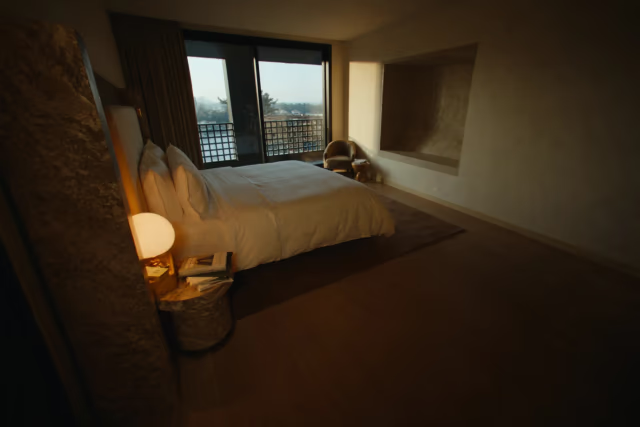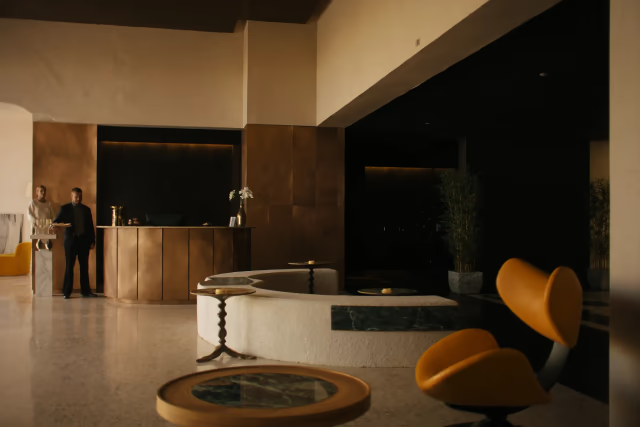
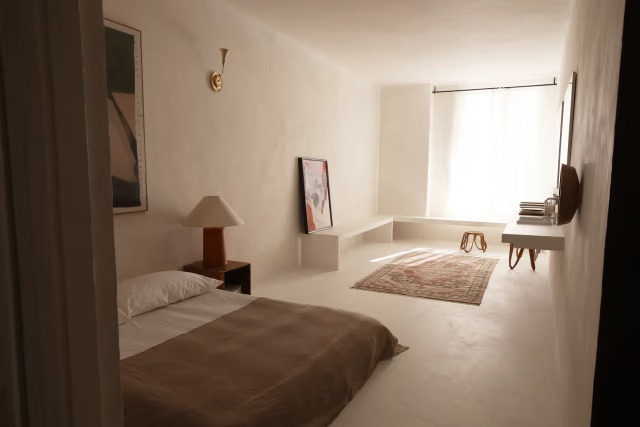

Basic · Nivora
How could my accommodation look?
Explore the design, the rooms and the enquiry entry. Fictional website: no messages or live availability.
Explore this fictional website Assess whether this scope fitsWebsites and management for accommodation
For rural stays, apartments and hotels. Start with your website and add management when you need it. We set it up with you.
Six questions, an on-screen plan recommendation. No sign-up or data submission.
Fictional demos. No live bookings, payments, messages or connections.
Different ways to host. One way to work better.
Try before choosing
From your website to everyday management. Explore the examples at your own pace.
See the guided journeyBasic · Nivora
Explore the design, the rooms and the enquiry entry. Fictional website: no messages or live availability.
Explore this fictional website Assess whether this scope fitsManagement · Terrava
Compare dates and an alternative before replying. Fictional data: no replies or real bookings.
Inspect the sample enquiry Assess this management needFrom the first visit to the next arrival
Explore the product
A website to attract guests, a workspace to coordinate and a clear view of daily work.
Explore 6 workspace viewsDesign, content and SEO foundations so the stay is understood before it is compared on price.
Explore the Nivora websiteEach request keeps dates, guests, unit and alternatives together for a contextual reply.
See enquiries in TerravaCasa Aira has no fit for the first night.
A shared calendar brings stays, units and rates together for the next review.
See planning in TerravaThe team can consult stay information without repeating it across conversations and sheets.
See guests in TerravaArrivals, preparation and incidents are ordered so attention has an owner and follow-up.
See operations in AuremLinen and bathroomHousekeeping review
Surfaces and minibarHousekeeping review
Reception validationHuman final check
Your tools, your way of working
Tell us what you use. We design the flow between your website, channels, payments and team with you.
Reference brands to evaluate: no confirmed integration or partnership. No accommodation provider has been validated or activated. Demos have no live connections; any integration requires separate scope, validation and authorisation.
We review how your booking channels and availability could share information.
We define the payment flow, confirmations and reconciliation your project needs.
We plan how email, messaging and location fit into your daily work.
What guests see and what your brand can explain today.
Evidence: Responsive editorial website with content and navigation for a fictitious brand.
Boundary: It collects no enquiries, queries no inventory and includes no workspace or live editing.
View visual evidence in NivoraEvidence: Terrava lets users edit a fictitious headline, discard the draft, approve a local preview only from Direction and review twelve unvalidated publication conditions.
Boundary: State only lasts for the visit and local approval validates 0/12 conditions: there is no CMS, repository, deployment, provider or HTTP write, and reloading restores the fixture.
View visual evidence in TerravaThe context that moves from conversation to planning.
Evidence: Three fictitious enquiries show the context an email could contain and thirteen delivery conditions that remain unvalidated.
Boundary: It only changes an in-memory preview and retains 0/13 validated conditions: it collects no personal data, sends no email, does not query or hold inventory and creates no booking; reloading restores the fixture.
View visual evidence in NivoraEvidence: Preloaded fictitious case that keeps context and compares an alternative in read-only mode.
Boundary: It does not create, convert or confirm bookings and sends no communication.
View visual evidence in TerravaEvidence: Read-only fictitious calendar with units, stays and a prepared alternative.
Boundary: It changes no inventory or rates and connects no PMS, availability or payments.
View visual evidence in TerravaEvidence: Read-only fictitious table with two sample guests, source and status.
Boundary: It creates no profile, reports no traveller, stores no visitor data and sends no communication.
View visual evidence in TerravaPreparation, priorities and ownership before the shift.
Evidence: Fictitious arrivals, readiness and incidents brought together in a read-only view.
Boundary: It makes no autonomous decision and executes no live action.
View visual evidence in AuremEvidence: Prepared room checklist and status used to explain ownership and review.
Boundary: It assigns or validates no task, notifies no team and updates no live PMS.
View visual evidence in AuremEvidence: Fictitious incident timeline with preloaded priority and statuses.
Boundary: It assigns or resolves no incident, creates no work order and contacts no supplier.
View visual evidence in AuremEvidence: The selector represents Management, Reception and Cleaning over the same read-only fixture.
Boundary: It creates no live account or permission and enables no different operational action.
View visual evidence in AuremEvidence: Fictitious 28-day scenario with occupancy, ADR, RevPAR, revenue, formulas and a weekly ledger.
Boundary: It uses no live PMS, channel, accounting or payment data and predicts no demand or price.
View visual evidence in AuremChannels, payments, data and automation are validated per project, not implied by a visual.
Evidence: Read-only matrix showing coverage, requirements and zero connections per channel.
Boundary: Connection requires a contract, credentials, mapping, tests and per-provider validation; publishing is blocked.
View activation requirements in AuremEvidence: Three fictitious rules expose their trigger, condition, proposed outcome and human review without running.
Boundary: Review state only lasts for the visit: it starts no jobs, queues, cron, webhooks, messages or providers, makes no HTTP write and reloading restores the fixture.
View visual evidence in AuremEvidence: Fictitious draft with visible sources, editing, versioning and role-based human review in memory.
Boundary: There is no model or provider, nothing is sent and reloading restores the fixture.
View visual evidence in AuremReadiness registry
The registry brings together evidence already in view without turning readiness into activation. A brand can only be assessed after completing this gate and receiving separate authorisation.
Contract, purpose, scope, jurisdiction and applicable processor terms are accepted for that specific provider.
Not validatedDirection names commercial, operational, data and technical owners with an agreed escalation path.
Not validatedRead, write, administration and approval are separate, revocable and limited to least privilege.
Not validatedAccount, environment, endpoint and secrets use opaque references outside the browser and never appear on this website.
Not validatedMain cases, boundaries and synthetic data pass in an isolated environment with no live effect.
Not validatedTimeout, quota, revocation, partial failure and uncertain outcome have stop, safe retry and manual recovery paths.
Not validatedVersion, actor, correlation and outcome are traceable without PII, content, credential or secret.
Not validatedDirection and accountable owners accept cases, differences, failures, evidence and exit criteria.
Not validatedAn independent control stops each read or write without preventing review and reconciliation.
Not validatedThe last accepted configuration is restored and every uncertain effect is reconciled before closure.
Not validatedPassing all ten gates makes a provider eligible for separate review; it does not reveal a brand, grant authorisation or activate a connection.
Separate integration scope
Charging is scoped separately. This file explains the decisions and tests required; it represents neither a checkout nor a connected provider.
Direction accepts when charging occurs, what it covers and who is operationally and technically accountable for each incident.
Not validatedConfiguration, authorisation, capture, refund and reconciliation use separate, revocable least-privilege access.
Not validatedThe payment-service category must be validated per project; no brand, account or provider is selected.
Not validatedOpaque reference to be defined outside the browser; the website contains zero keys, merchant accounts, endpoints or secrets.
Not validatedTests require an isolated environment, no movement of money and test instruments; real card data is never used.
Not validatedCurrency, tax, fees, rounding and total, partial and refundable amounts need accepted rules and examples.
Not validatedAuthorisation, capture, decline, cancellation, partial or full refund and dispute are tested as distinct states.
Not validatedA stable reference represents one intent and allows calls to be replayed without duplicating authorisations, captures or refunds.
Not validatedSignature, order, replay, delay and unknown events are verified in tests; no webhook is configured here.
Not validatedIntent, outcome, refund, dispute and settlement are checked against a source of truth with explainable differences.
Not validatedTimeout, decline, uncertain outcome, quota and partial failure require limits, safe retries, escalation and manual recovery.
Not validatedReference, actor, version, transition and outcome are recorded without card number, security code, PII, key or secret.
Not validatedDirection and the payments owner accept amounts, declines, duplicates, refunds, reconciliation and failures before activation.
Not validatedAn independent control blocks new sessions, authorisations and captures without deleting evidence or preventing reconciliation.
Not validatedAccepted configuration can be restored; in-flight or uncertain operations are reconciled and compensated, never blindly reversed.
Not validatedThis file creates no checkout, card field, session, authorisation, capture, refund, provider call, webhook, persistence or external write.
Separate data scope
Keeping, migrating or connecting a source is scoped per project. This file organises decisions and tests; it represents neither a connected PMS nor live synchronisation.
Direction identifies the source of truth and the operational, data and technical owners accountable for every change.
Not validatedPurpose, applicable basis, minimum fields, retention and deletion are agreed before data is accessed or moved.
Not validatedRead, write, export and administration use separate, revocable least-privilege access.
Not validatedThe property- or booking-management category is validated per project; no brand, account or provider is selected.
Not validatedOpaque reference to be defined outside the browser; the website contains zero private URLs, accounts, keys, endpoints or secrets.
Not validatedProperties, units or types, stays, guests, rates and statuses need an accepted map; optional or sensitive fields are excluded by default.
Not validatedStable identifiers, namespace, duplicates and merges are defined without fuzzy matching personal data.
Not validatedCut-off, version, counts and sample hashes form an accepted baseline; this website runs no live migration.
Not validatedCreation, change, cancellation, no-show, unit move, late arrival and invalid or stale events are tested with synthetic data only.
Not validatedA stable reference and version allow each case to be replayed without duplicating stays, guests, tasks or changes.
Not validatedCounts, versions and differences between source and target are compared and every deviation is explained.
Not validatedTimeout, partial failure, schema drift, revoked access and out-of-order events have limits, safe retries and manual recovery.
Not validatedReference, actor, schema version, outcome and correlation are recorded without guest, profile, free text, PII or secret.
Not validatedDirection and the data owner accept mappings, counts, differences, failures and recovery before activation.
Not validatedIndependent controls stop intake and publication without deleting the read-only evidence needed for review.
Not validatedThe last accepted configuration and baseline are restored; affected events are reconciled or compensated and the source is never deleted.
Not validatedThis file creates no provider, account, credential, PMS connection, API, webhook, live guest or traveller record, migration, persistence, synchronisation or external write.
Three starting points
Your own website, the management tools you need and a team to support you.
€49/month
Setup from €490 · excl. VATYour own website to showcase your accommodation and receive direct enquiries.
Your own website
How would I present my stay and receive an enquiry?
No workspace, inventory, bookings, payments or enquiries sent from the demo.
€149/month
Setup from €990 · excl. VATWebsite and workspace to bring enquiries, bookings and guests together.
Website + workspace
What should I check before offering dates?
Fictional data and local changes only. No live booking confirmation or communication.
€299/month
Setup from €1,990 · excl. VATWebsite and advanced management to coordinate teams, tasks and revenue.
Website + workspace
Which figures help me review the operation?
It runs no task, message, channel, AI or live system change; everything needs an agreed scope.
Indicative prices excluding VAT, for one brand and up to 5 units. Initial setup is separate. Hosting, technical maintenance and base support included. Additional units, domains, migrations, external connections and extended support are quoted separately. Scope, timing and terms are confirmed in the proposal; demos activate no services.
Compare all three plansInitial guidance, without sharing your details
Adjust your scale and select the capabilities that would matter today. The recommendation is calculated in your browser and the final project is validated with you.
00
Your brand gains a managed website ready for search visibility and direct commercial conversations.
Twelve website directions
Explore each design, try its mobile view and choose the style that fits.
Fictional visual direction. It checks no availability and sends no enquiry.
See all twelve websitesInside the workspace
Enquiries, planning, arrivals and teams. Six views to discover how you could work.
See all six workspacesA managed service, with people behind it
Logic2B adapts and configures everything agreed in scope to fit the way your business actually works. Our job is to help you get value from it—not simply hand over access.
Tell us how you workWe follow a real booking, identify the friction that costs you most and agree what should stay, change or connect.
We prepare your website, content and workspaces, and review the result with you before launch.
Hosting, security, technical maintenance and base support are part of the service. We review how it is working and scope improvements when the business needs them.
Guides by responsibility
Ownership, reception, operations, marketing and technical teams. A starting point for everyone.
Before changing anything
It depends on where value is lost. If attraction and response are the problem, a managed website may be enough. If you already coordinate bookings, guests or teams, Management or Intelligent may fit. Capabilities—not size—drive the assessment.
Yes. Basic starts with your own website, SEO, hosting and maintenance. You do not need a workspace. We agree the content and how enquiries will reach you before launch.
Not automatically. We review what should stay, migrate or connect. No integration is assumed or activated beyond the agreed scope.
No. The Logic2B team adapts and prepares everything included in scope, tests important cases and stays with you after launch. Migrations, integrations and extended support are scoped separately.
Yes. We start with your chosen style and adapt it to your brand, photography, spaces and content. Together we define the structure and contact routes.
Basic from €49/month, Management from €149/month and Intelligent from €299/month. Initial setup from €490, €990 and €1,990 respectively. Indicative prices exclude VAT; integrations and migrations are quoted separately.
Logic2B Stays · guided demonstration
See how your website and workspace could look in a demonstration tailored to your accommodation.
Request a demonstration↗Let’s talk about your accommodation
Tell us what you need. We will help you choose a plan and agree the scope and budget.